
Mobile App
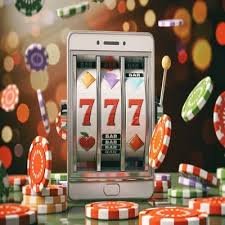
The gu777 App brings the full game library to your Android or iOS device. Slots, live casino, bingo, and more – all running on a secure PHP wallet, optimised for Philippine players on the go.
About the App
Most online gaming platforms in the Philippines work well enough on a desktop browser, but the experience starts to feel clunky the moment you switch to mobile. Pages load slowly, buttons are too small to tap accurately, and the layout wasn't really designed with a phone screen in mind. The gu777 App was built to fix that.
Whether you're commuting from Quezon City to Makati, on a break in Cebu, or just relaxing at home in Davao, the gu777 App gives you the same full-featured gaming experience you'd get on a desktop – scaled properly for your screen, with touch controls that actually work.
The app connects to your existing gu777 account and your PHP wallet. There's no separate mobile balance or second login to manage. Any deposit you make through the main platform is immediately available when you switch to the app, and any winnings you collect in the app are credited to the same wallet you'd use to withdraw on desktop.
The game selection in the app covers the complete gu777 library: slot games, live casino tables, bingo, and more. Everything is accessible from a single home screen without needing to navigate through multiple category pages. The app also supports full account management – deposits, withdrawals, account verification, and settings are all accessible directly from the app interface.
Key Features
The app isn't just a stripped-down version of the website. It's a fully capable gaming platform designed around how Philippine players actually use their phones.
Every title available on the gu777 desktop platform is accessible through the app – slots, live casino, bingo, and more. No games are locked to desktop only.
The app is optimised for Philippine mobile networks – including 4G LTE and standard WiFi connections. Games load quickly without requiring a high-speed connection.
Deposit in Philippine Peso using GCash, Maya, online banking, or bank transfer directly from the app. Your balance updates immediately and applies across all game categories.
OTP-based login verification, SSL-encrypted data transmission, and session management tools protect your account whether you're on WiFi or mobile data.
Enable push notifications to receive updates on account activity, deposit confirmations, and new game arrivals – without needing to check the app manually.
Complete your KYC verification, update account details, manage transaction history, and request withdrawals – all from the app without switching to a desktop browser.
The app uses the same black-gold visual design as the main platform. It's easy on the eyes during night sessions and maintains visual consistency across devices.
The Android APK checks for updates on launch. New game categories, UI improvements, and security patches are delivered without requiring a full reinstall.
Reach the gu777 support team directly from the app. Account questions, deposit issues, and game queries can all be handled without leaving the app interface.

Installation Guide
The setup process takes a few minutes. Here's exactly what to do depending on whether you're on Android or iOS.
Go to Settings > Security (or Privacy) and enable "Install from Unknown Sources" or "Allow installs from this browser." This is a one-time permission that lets Android accept APK files from outside the Play Store.
Open Chrome or your preferred browser on your Android device and navigate to gu777.vu. Look for the App download section on the homepage or this page.
Tap the Android download button. The APK file will save to your Downloads folder. The file size is small, so it transfers quickly even on mobile data.
Tap the downloaded APK from your notification bar or file manager and follow the install prompt. Once complete, the gu777 icon appears on your home screen. Log in with your existing account details.
Safari is required for the Add to Home Screen feature on iOS. Other browsers like Chrome or Firefox on iOS do not support this function in the same way.
Type gu777.vu into the Safari address bar and load the site. The mobile version of the platform will load automatically, optimised for your screen size.
Tap the Share icon at the bottom of the Safari browser (the square with an upward arrow). Scroll through the options in the share sheet until you find "Add to Home Screen."
Tap "Add to Home Screen," confirm the name, then tap "Add." The gu777 shortcut will appear on your iOS home screen and opens the full mobile platform in a clean, app-like view.
App vs Browser
You can play gu777 on any mobile browser without downloading anything – and that's a perfectly valid option. The mobile browser version runs the full platform and supports all game categories and payment methods.
The dedicated app adds a layer of convenience and performance on top of the browser experience. If you play regularly from your phone, the app is the better choice. If you play occasionally or prefer not to install anything, the browser version works well. Here's a direct comparison so you can decide which suits your habits.
For iOS users, the "Add to Home Screen" shortcut via Safari gets you close to the app experience without a separate download. It opens the site in a full-screen view without the browser address bar, which removes visual clutter and makes the gaming interface feel more immersive.
| Feature | Android App | iOS Shortcut | Mobile Browser |
|---|---|---|---|
| Full Game Library | ✓ | ✓ | ✓ |
| PHP Wallet & Payments | ✓ | ✓ | ✓ |
| Push Notifications | ✓ | Limited | ✗ |
| Home Screen Icon | ✓ | ✓ | ✗ |
| No Browser Address Bar | ✓ | ✓ | ✗ |
| Auto-Update | ✓ | Via website | Via website |
| Download Required | APK only | ✗ | ✗ |
| Works on 3G/4G | ✓ | ✓ | ✓ |
| KYC & Account Settings | ✓ | ✓ | ✓ |
Security & Privacy
Security is a real concern when you're managing a PHP wallet on a mobile device. The gu777 App is built with multiple layers of protection that apply whether you're on the app or the mobile browser version of the platform.
These aren't marketing descriptions – they're specific technical controls that are active every time you log in, make a transaction, or load a game. Understanding what's in place helps you make informed decisions about how you use the app, especially on public WiFi networks or shared devices.
The most important protection on your end is keeping your login credentials private and enabling OTP verification on every login. If your phone is ever lost or compromised, contact gu777 support immediately to lock account access.
Responsible Gaming GuideAll data transmitted between the app and the gu777 servers is encrypted using SSL/TLS. This applies to login credentials, game data, and all financial transactions.
Login and sensitive account actions require a one-time password sent to your registered mobile number. This prevents unauthorised access even if your password is compromised.
Full account access, including withdrawals, requires completed KYC verification. This protects against fraudulent account use and ensures withdrawals are processed to verified owners.
Inactive sessions are automatically logged out after a set period. If you step away from the app on a shared device, your account isn't left open indefinitely.
The gu777 App does not sell or share your account data or transaction history with third-party advertisers or external services.

Games Available
The app gives you access to every game category on the gu777 platform. Here's a breakdown of what's available and how each category performs on a mobile screen.
The complete Slot Games library is available on the app. Swipe through categories, filter by type, and tap to launch any title.
Slots OverviewLive dealer tables stream smoothly on 4G and stable WiFi. Baccarat, roulette, blackjack, and more – all accessible from the Casino section.
Casino OvervieweBingo is popular among Philippine players and runs well on mobile. The interface adapts to portrait mode so you can play comfortably with one hand.
Bingo OverviewBrowse the full game selection from the Game Lobby. The lobby view on mobile is optimised for touch navigation with larger tap targets.
Game LobbyDeposits & Withdrawals
The gu777 App gives you full access to your Philippine Peso wallet. You can deposit, check your balance, and request withdrawals without switching to a desktop browser. All transactions run through the same secure payment infrastructure as the main website.
Philippine players can fund their accounts using GCash, Maya, online banking, local debit cards, bank transfer, or over-the-counter payment channels. The deposit process is straightforward: choose your channel, enter the amount in PHP, follow the channel-specific steps, and your balance is credited.
Withdrawals follow the same process in reverse. Request a withdrawal from the app, choose your preferred Philippine bank account or e-wallet as the destination, and the funds are processed according to the standard schedule. KYC verification must be completed before withdrawals are approved.
FAQ
Get Started
Register a free gu777 account, fund your PHP wallet, and access the full game library from your Android or iOS device. Takes just a few minutes to set up.
21+ only. Play responsibly. Responsible Gaming